 NewsLoop
Ads and memberships
NewsLoop can earn money in two ways, alone or together: ads, and memberships that unlock subscribers-only articles and remove ads.
Ads
Go to Money → Ads.
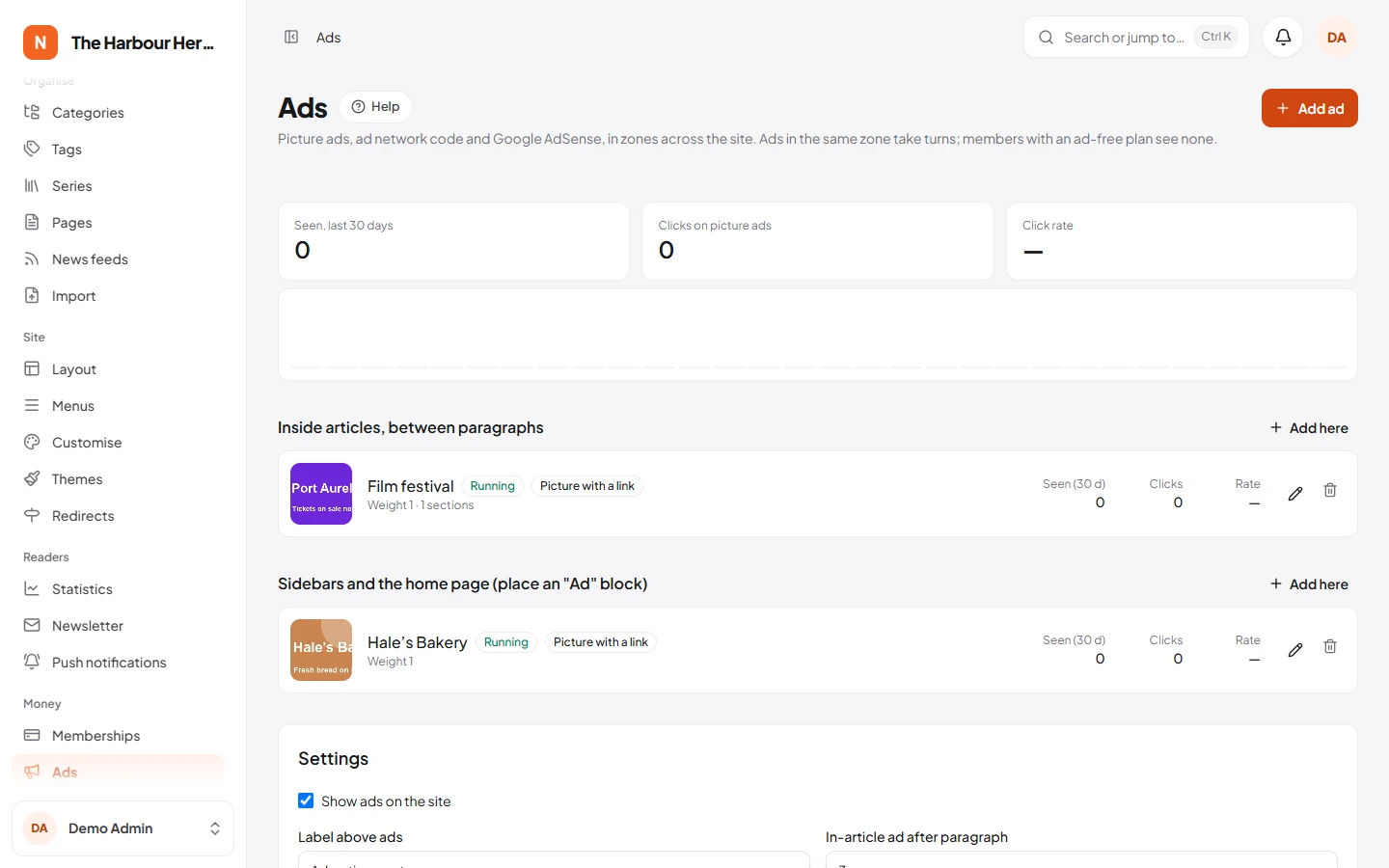
Kinds of ads
- Picture with a link. An image from the media library, for a local advertiser. Clicks are counted.
- Ad network code. Code from an ad network, pasted as it is. Only people allowed to add custom code can save it, because it runs on every page where it shows.
- Google AdSense. Add your publisher ID (
ca-pub-…) under Settings, then an ad for each AdSense ad unit by its ID. Or turn on Auto ads and let Google place ads.
Where ads go
Each ad belongs to a zone:
| Zone | Where |
|---|---|
| Below the header | Every page |
| Above the footer | Every page |
| Inside articles | After the paragraph you choose under Settings, or wherever an editor put an ad block in the article |
| After the article text | Article pages |
| Sidebars and the home page | Wherever you place an Ad block with Site → Layout |
Several ads in one zone take turns: an ad with weight 4 shows about four times as often as one with weight 1. You can also set start and end dates, devices (phones, tablets, computers), languages and sections.
Good to know
- Pages stay fast: ads are chosen in the reader's browser, so pages can be ready-made.
- An ad counts as seen once at least half of it has been on screen. Bots are not counted.
- With cookie consent on (System → Site settings → Privacy & analytics), ad network code and AdSense wait until the reader agrees. Picture ads set no cookies and always show. In the EU and UK, Google also asks that you use a certified consent tool; you can switch on Google's own under Privacy & messaging in AdSense.
- Paste the lines your ad networks give you into ads.txt. They are served at
/ads.txt. - Mark paid articles with Sponsored by in the article editor. Readers see "Sponsored by …" on the article and "Sponsored" on cards.
Memberships
Go to Money → Memberships.
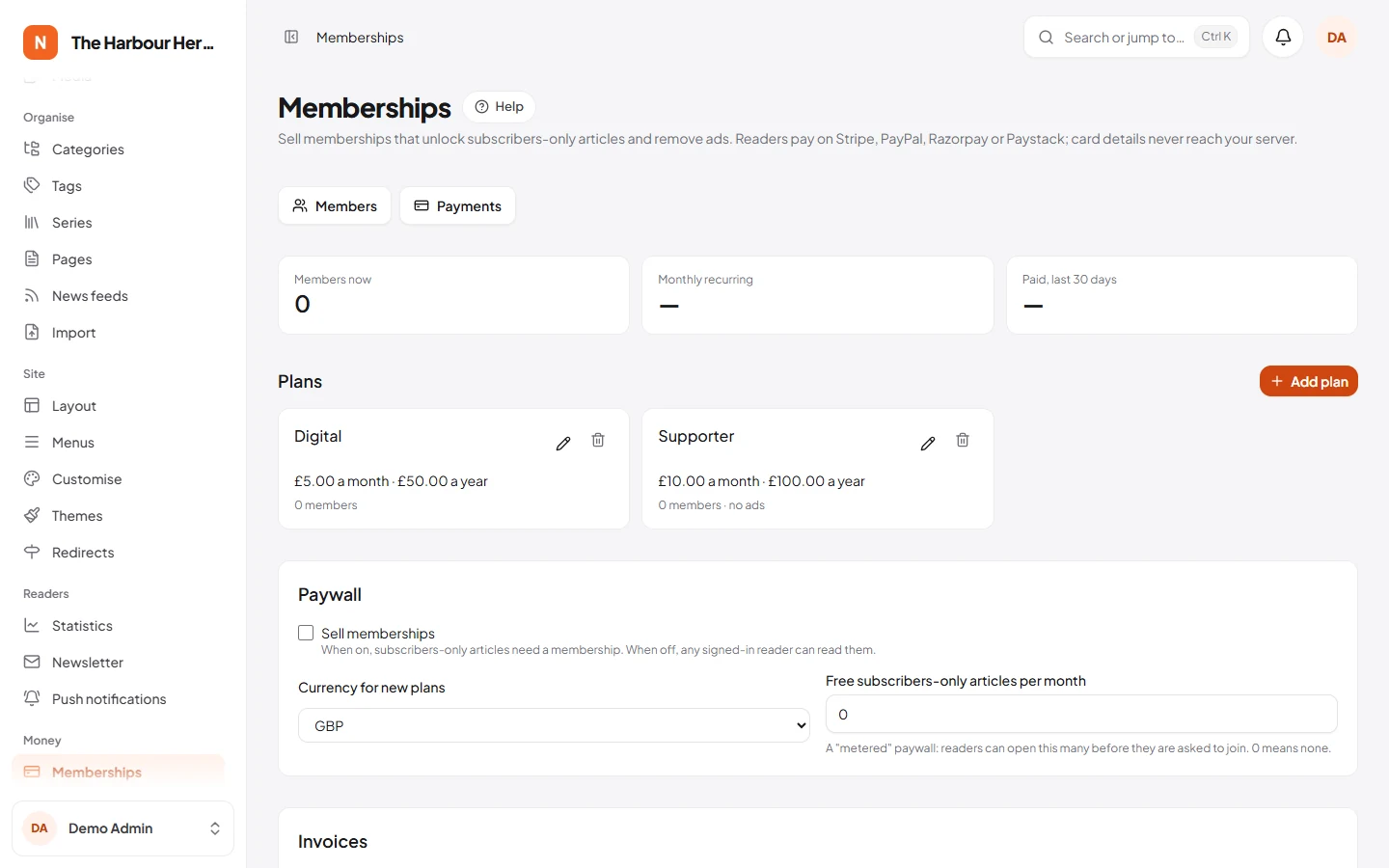
1. Plans
Add a plan with a monthly price, a yearly price or both, what members get, and an optional free trial. Members of a plan with Members see no ads see no ads. You can change prices at any time: new members pay the new price, and existing members keep theirs.
2. Payment companies
Turn on one or more. Readers pay on the company's own secure page, so card details never reach your server.
| Company | For | What to enter |
|---|---|---|
| Stripe | Most countries; cards, Apple Pay, Google Pay | Secret key and webhook signing secret |
| PayPal | Worldwide | Client ID, secret and webhook ID. Tick test mode while testing |
| Razorpay | India; cards, UPI, net banking | Key ID, key secret and webhook secret |
| Paystack | Nigeria, Ghana, Kenya, South Africa | Secret key. Paystack has no free trials, so trials start paying at once there |
Each company needs a webhook: an address it calls to tell your site about payments and renewals. Copy the address from the company's box on the Memberships screen into the company's dashboard. The screen says which events to choose. Click Test the keys to check them.
3. The paywall
Tick Sell memberships and save. Then mark articles as Subscribers only in the editor.
- Readers without a membership see the opening of the article and an invitation to join.
- Free subscribers-only articles per month lets readers open a few before they are asked to join (a "metered" paywall).
- Staff always see full articles.
- While Sell memberships is off, any signed-in reader can read subscribers-only articles, so you can start with free accounts and add payments later.
Readers' side
/membershipshows your plans. Readers need an account to join./accountshows their membership, renewal date, invoices and newsletter. They can change how they pay (Stripe and PayPal) and stop renewing. They keep access until the end of the period they paid for.- Every payment gets an invoice with your company details, set under Invoices. Readers get a receipt by email.
- Download my data on
/accountgives readers one file with everything the site keeps about them: account, comments, saved and liked articles, newsletter, memberships and payments. It answers data requests under the GDPR and similar laws without work for you. Passwords, keys and tokens are left out.
Members and payments
Members lists everyone with a membership; search by name or email. You can stop a membership renewing, or end it at once. Refunds are made in the payment company's dashboard. Payments lists every payment with its invoice.
Troubleshooting
- A reader paid, but their membership didn't start. The payment company tells your site through its webhook, so check that first:
- The webhook address in the company's dashboard must be exactly the one in the company's box on the Memberships screen, starting with
https://. Webhooks tohttp://or to an old domain never arrive. - The signing secret (Stripe, Razorpay), webhook ID (PayPal) or secret key (Paystack) on the Memberships screen must be the one for that webhook, and for the same mode: test keys with test webhooks, live keys with live webhooks.
- The events chosen in the company's dashboard must include the ones the Memberships screen lists.
- The webhook address in the company's dashboard must be exactly the one in the company's box on the Memberships screen, starting with
- The company's dashboard shows the webhook failing. Open the failed attempt there and look at your site's answer:
400 Invalid signature: the secret or webhook ID doesn't match. Copy it again from the company's dashboard. Your site also writes "A payment webhook was refused." instorage/logs/laravel.log.404: the address is wrong.500: your site had a problem applying the payment. The company sends it again later by itself;storage/logs/laravel.logsays what went wrong.- After fixing it, use Resend in the company's dashboard. Each payment is applied only once, so resending is safe.
- "Test the keys" fails. The key is wrong, or for the other mode (test or live). With PayPal, tick or untick test mode to match the keys.